
Intro: Ever wanted a static street-corner photo to come alive and show decades of change? With AI image-to-image and image-to-video, you can. This article walks through the full City Then & Now pipeline—core scene plate, first and last frames, then one smooth time-travel clip.
I. Why Reuse a “Core Scene”?
First and last frames must match for believable motion. If layout, framing, and light differ wildly, the model struggles to bridge them.
Our approach: generate one environment-only plate (no people), then derive both keyframes from it. Same buildings, angle, and light—only “what changes” (people, era) is left for the model.
Comparison:
| Method | Scene match | Transition | Best for |
|---|---|---|---|
| Two unrelated generations | Uncontrolled | Okay | Quick tests |
| Shared core plate | Fully controlled | Smooth | Pro video workflows |
II. Text-to-Image: Core Scene Plate
Goal: a modern street corner with no people—the base for everything after.
Open Seedream 5 Lite — Text to Image on FuseAI Tools (/home/seedream/5-lite-text-to-image), paste the prompt and settings below, and generate.
{
  "prompt": "A modern city street corner on a sunny day. A red-brick wedge building on the corner with an old bookstore on the ground floor and a vintage street lamp beside it. Across the street, a glass curtain-wall office tower. Modern cars and pedestrians on the road. Centered composition, 16:9 landscape, photorealistic, ultra sharp.",
  "aspect_ratio": "16:9",
  "quality": "high"
}
Sample output:
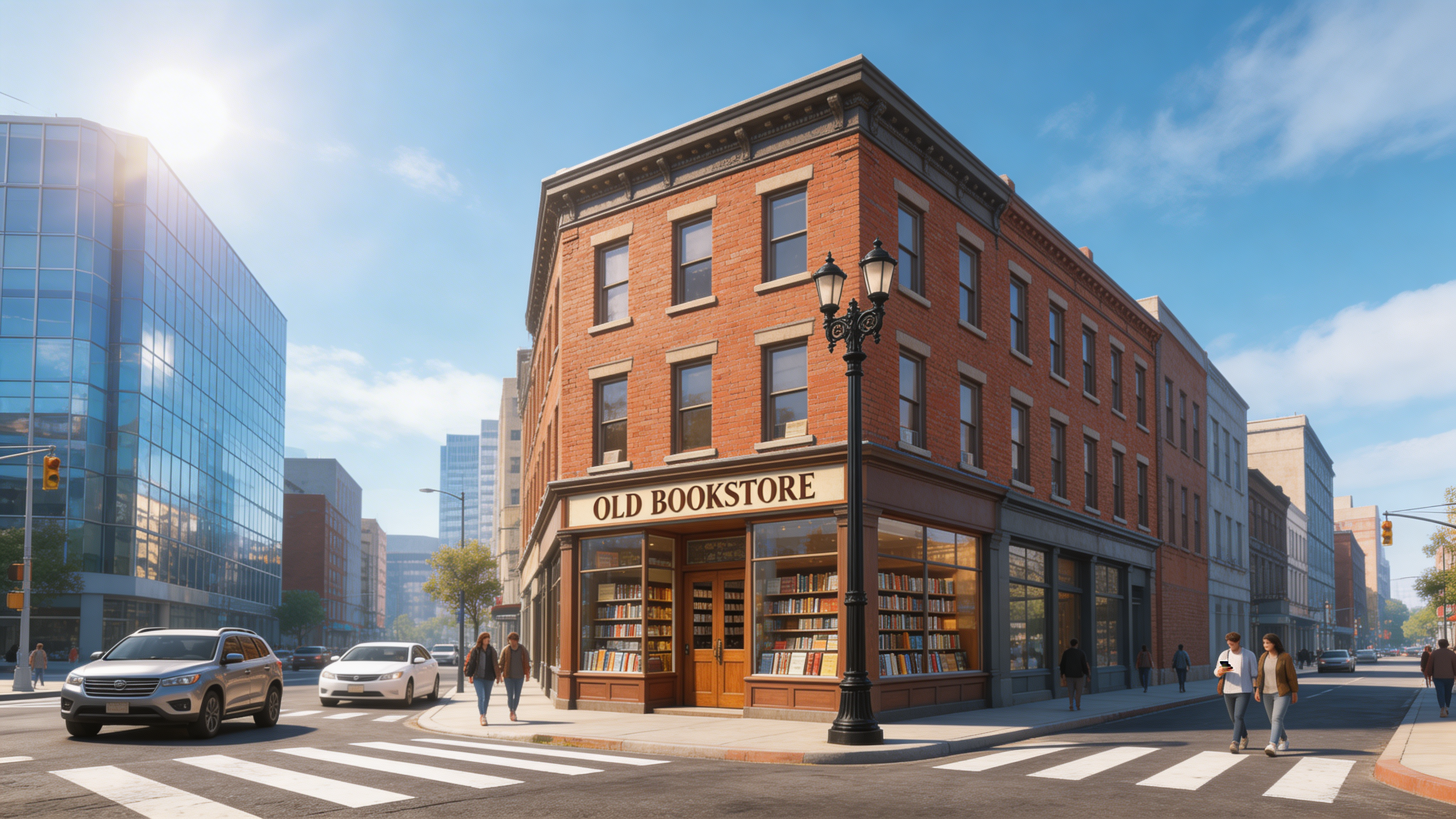
Core plate: locks layout, lens, and light for all following steps
Notes: this image defines bookstore, lamp, tower, angle, and sun direction—everything downstream keys off it.
III. Image-to-Image: First Frame (Modern + Elder)
Goal: add modern people and details for the start of the clip.
Open Seedream 5 Lite — Image to Image (/home/seedream/5-lite-image-to-image), upload the core plate from Section II as reference, then use:
{
  "prompt": "Keep building layout, camera angle, and lighting exactly the same. On the sidewalk at the corner, add a man in his 70s in a dark trench coat, back to camera, looking up at the glass tower across the street. Replace cars with modern models (Tesla, Toyota). Contemporary city mood, photoreal.",
  "image_urls": ["https://media.fuseaitools.com/image/ff7f3be0285d278bc3cc622da732c1b8_1775896723_2otxlf2i_63bb3e6ebc5248b29b1d69ab7c6cf4ee.png"],
  "aspect_ratio": "16:9",
  "quality": "high"
}
Sample output:
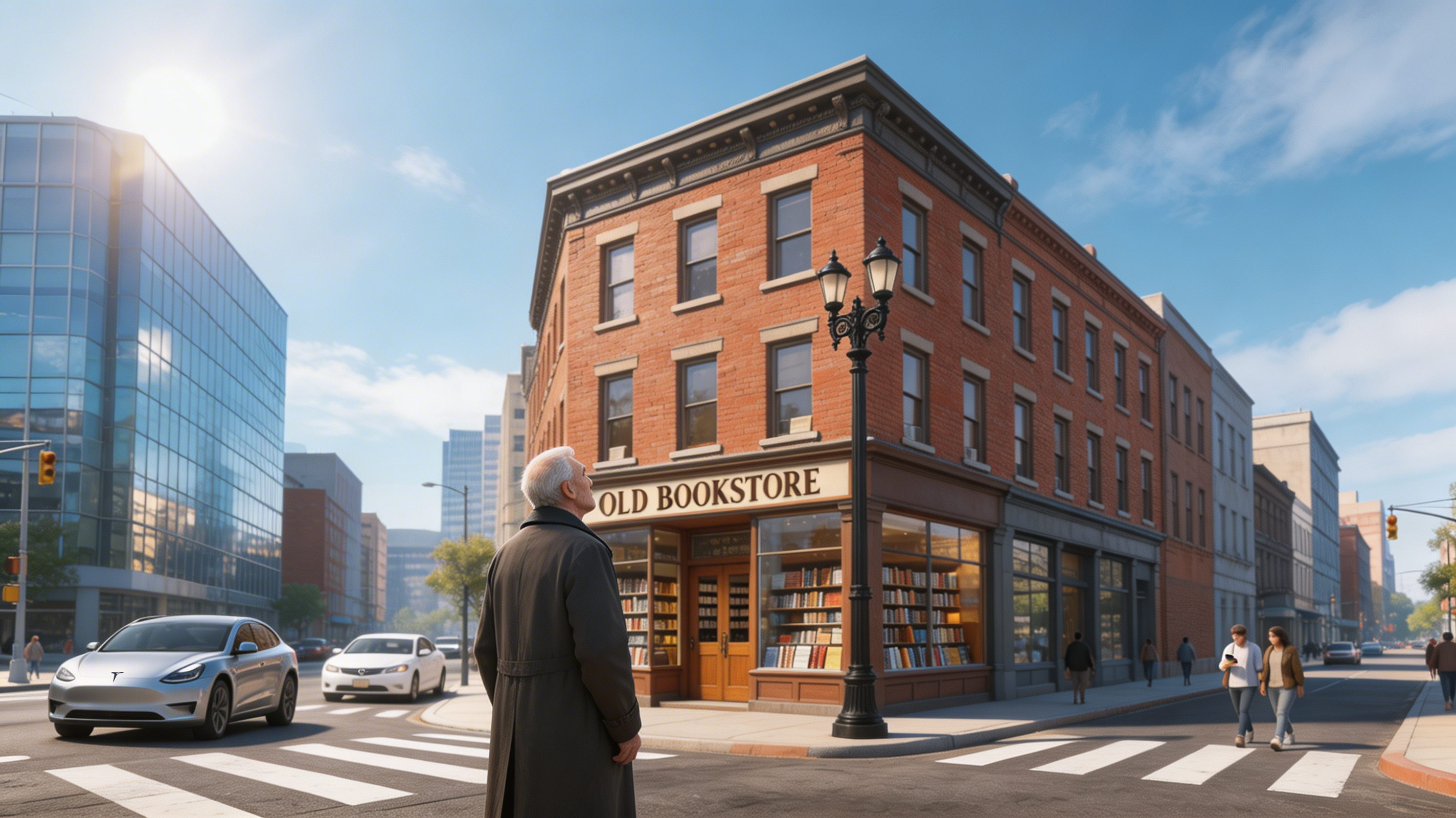
First frame: modern “now”—curiosity from the back-facing figure
Notes: the back view invites “what is he looking at?” and modern cars anchor the present.
IV. Image-to-Image: Last Frame (1950s + Young Adult)
Goal: same corner, new era—end frame for the video.
Stay on Seedream 5 Lite — Image to Image (/home/seedream/5-lite-image-to-image), upload the same core plate as in Section III, then:
{
  "prompt": "Keep layout, angle, and light direction the same. Shift the scene to the 1950s: bookstore sign in retro lettering; lamp unchanged but warmer glow; glass tower reads as brick. Add a 25-year-old man in vintage suit and hat, smiling. Replace cars with classic 1950s (e.g. Chevrolet Bel Air). Warm yellow grade, film texture.",
  "image_urls": ["https://media.fuseaitools.com/image/ff7f3be0285d278bc3cc622da732c1b8_1775896723_2otxlf2i_63bb3e6ebc5248b29b1d69ab7c6cf4ee.png"],
  "aspect_ratio": "16:9",
  "quality": "high"
}
Sample output:
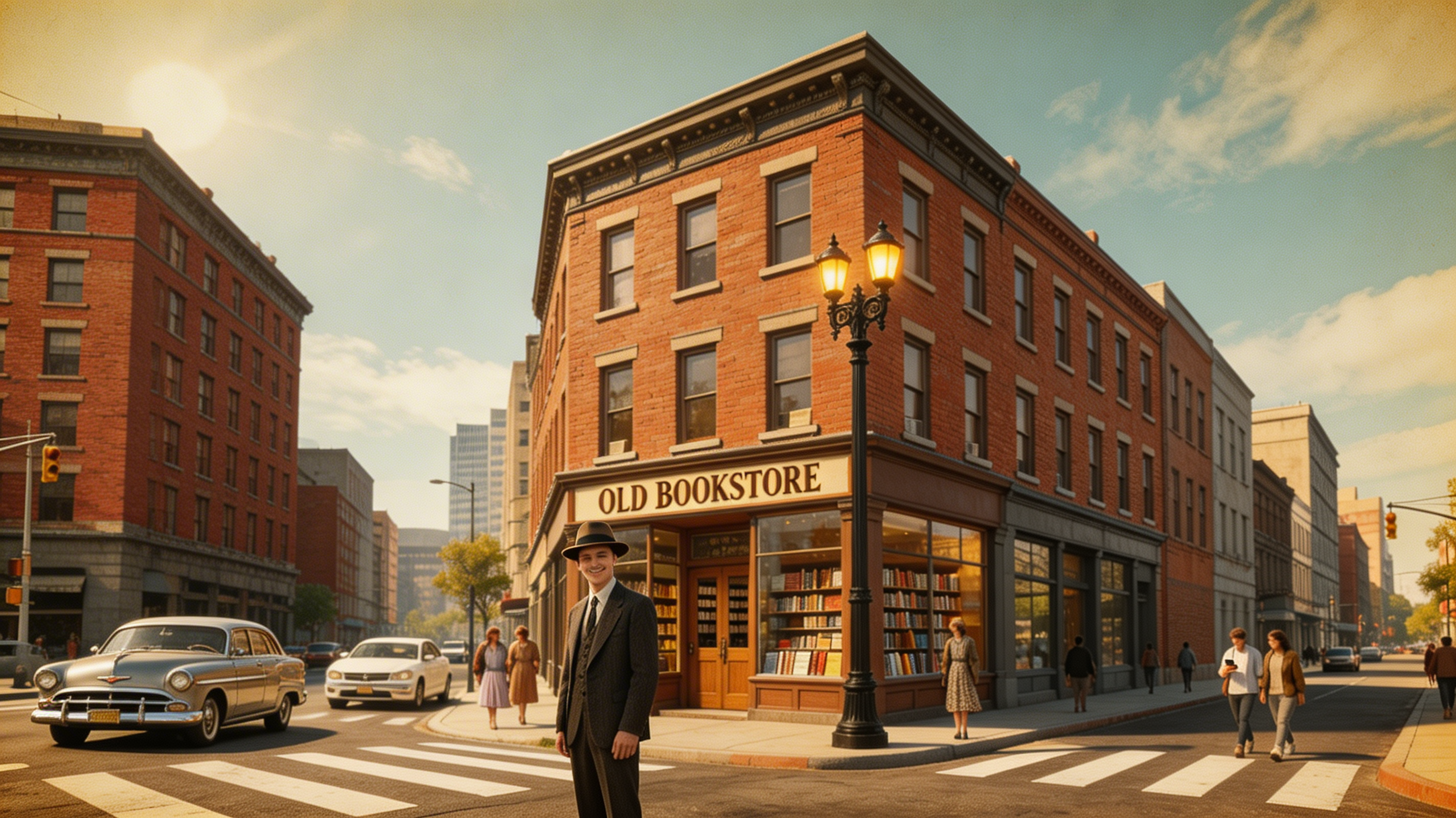
Last frame: retro mood; geometry matches the first frame
Notes: silhouette, lamp position, and POV align with Section III—only era, wardrobe, and cars change. That gives I2V a clean anchor.
V. Image-to-Video: The Transition
Goal: feed first and last frames so the model interpolates from modern to retro.
Open Seedance v1 Lite — Image to Video (/home/seedance/v1-lite-image-to-video), set start image and end image, then align prompt and settings with your API/UI (resolution, duration, fixed camera, etc.).
{
  "prompt": "Fixed camera on the same corner. Opens in the modern city with an elderly man at the curb. Light warms; modern cars morph into classics; glass tower becomes brick; bookstore sign turns retro. The man grows younger—hair darkens, trench becomes a vintage suit. Ends in the 1950s with the young man smiling into the distance. Smooth, cinematic, film-like color.",
  "image_url": "https://media.fuseaitools.com/image/78121a330dc5a4bf20ee54ab02e89af7_1775901058_a1uqp9d9_300bdd84acc141c5ae50e9a9b0e1977f.png",
  "end_image_url": "https://media.fuseaitools.com/image/c5ac3f2a3efa7df1d8fed07f9a1ef34d_1775901232_x2wm1dpv_81e3ca1d9859444f8ec43b9f0cbcb426.png",
  "resolution": "1080p",
  "duration": "10",
  "camera_fixed": true,
  "seed": -1
}
Sample output:
Sample: modern-to-retro time travel in one take
Quality snapshot:
| Dimension | Rating | Comment |
|---|---|---|
| Transition smoothness | ⭐⭐⭐⭐⭐ | Aligned geometry and light |
| Era shift | ⭐⭐⭐⭐⭐ | Cars, façades, wardrobe evolve naturally |
| Character morph | ⭐⭐⭐⭐ | Elder→youth reads well; slight dreamlike feel |
| Emotion | ⭐⭐⭐⭐⭐ | Nostalgic “rewind time” beat |
Good fits: city promos, heritage brand stories, before/after place marketing, nostalgic short-form.
VI. Why This Pipeline Works
| Strength | Why it matters |
|---|---|
| Consistency | Both keyframes inherit one plate—framing and light lock |
| Control | Tune each step without breaking the others |
| Efficiency | Generate the plate once; reuse for many variants |
| Natural motion | The model only models change, not guessing a new set |
| Extensible | Same plate → seasons, day/night, style passes, etc. |
VII. More Ideas From One Plate
Reuse the same core image for other stories:
| Variation | Prompt cues | Use case |
|---|---|---|
| Seasons | “Winter snow, coats, gray sky” | Four-season campaign |
| Day / night | “Neon at night, moonlight on wet asphalt” | Day vs night city edit |
| Style | “Studio Ghibli-inspired, warm and painterly” | Stylized short |
| Character | “Couple hugging at the corner” | Emotional spot |
VIII. Wrap-Up
Core plate → first frame → last frame → video is a repeatable way to get pro-looking time-travel shorts: lock what stays fixed, then let the model handle change.
City Then & Now is one template—the same corner can spin into seasons, day/night, or style studies. Experiment on Seedream 5 Lite (Text to Image), Image to Image, and Seedance v1 Lite (Image to Video).