
On short-video platforms, your cover is your storefront. A bold cinematic thumbnail helps viewers notice you instantly in a crowded feed—and makes them want to click. Today, we use Qwen text-to-image on FuseAI Tools with a carefully crafted parameter set to generate a travel-themed cinematic vertical cover.
Note: “Up to 300%” is based on reported uplift examples; actual results depend on your niche, audience, and content quality.
I. Our Goal: Cinematic Feel, High Impact, Vertical-First
We’re aiming for a cover that performs well as a mobile-first thumbnail:
- Cinematic atmosphere: sunrise above a sea of clouds, epic landscape mood.
- Visual focus: a figure in the foreground (back to the camera) to lead the eye.
- Title-safe negative space: more sky/clean areas for overlay text.
- High perceived quality: crisp details that remain readable on small screens.
II. Core Parameter Setup (Copy & Paste)
In Qwen text-to-image, we used the following parameters:
{
  "prompt": "A young travel creator stands on a mountain summit, back to the camera, facing a breathtaking sunrise sea of clouds. The sky fades from deep orange to soft pink; mist rolls like ocean waves below. Wind lifts their jacket—dynamic, cinematic, emotional. Composition uses the golden ratio, wide-angle perspective, ultra-sharp details, rich color grading, strong atmosphere, cinematic travel vertical framing.",
  "image_size": "portrait_16_9",
  "num_inference_steps": 35,
  "guidance_scale": 8.5,
  "enable_safety_checker": true,
  "output_format": "png",
  "negative_prompt": "blurry, deformed, warped face, extra people, cluttered background, low resolution, overexposed, pitch-black shadows",
  "acceleration": "regular"
}
Parameter Breakdown
| Parameter | Setting | Why it matters |
|---|---|---|
| image_size | portrait_16_9 | Vertical ratio optimized for TikTok, Reels, Shorts. |
| guidance_scale | 8.5 | Higher alignment to your prompt while keeping visuals cinematic. |
| num_inference_steps | 35 | A balanced point between quality and generation speed. |
| negative_prompt | Disqualify common artifacts | Cleaner outputs, fewer deformations, fewer distracting elements. |
| acceleration | regular | Standard acceleration to preserve quality. |
III. Generated Result and Effect Analysis
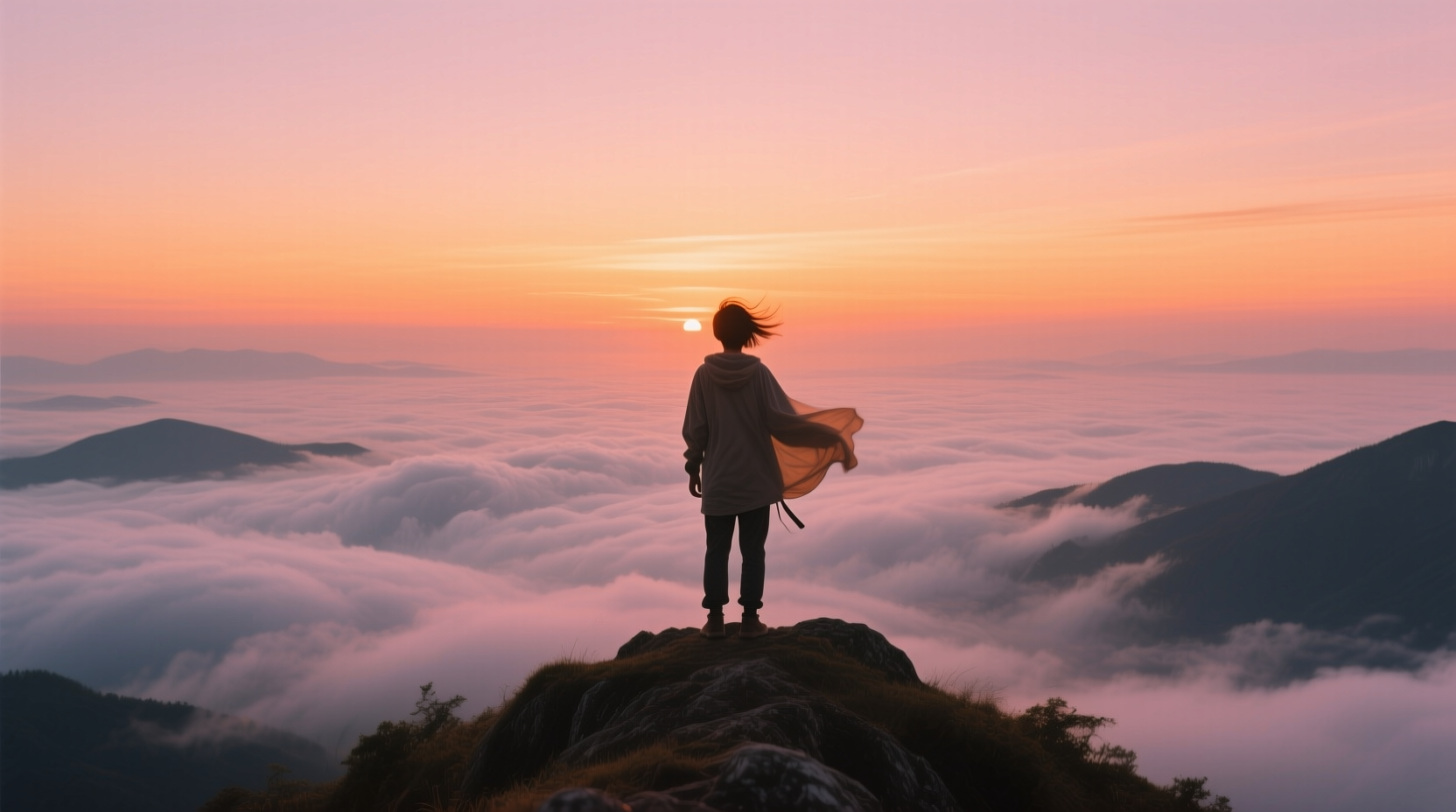
Quick Evaluation
| Evaluation Dimension | Rating | What we’re seeing |
|---|---|---|
| Composition | ⭐⭐⭐⭐⭐ | Golden-ratio inspired framing with a strong foreground subject. |
| Color | ⭐⭐⭐⭐⭐ | Warm orange–pink sky gradients that look vivid without harsh clipping. |
| Atmosphere | ⭐⭐⭐⭐⭐ | Sunrise + wind movement reads as “film,” not a stock snapshot. |
| Title Space | ⭐⭐⭐⭐ | Sky regions are typically great for overlay text. |
| Detail | ⭐⭐⭐⭐⭐ | Crisp results that stay readable even when zoomed or previewed small. |
Best Use Cases
- Travel Vlogs and outdoor adventure content
- Motivation / growth storytelling
- Brand or destination promos that need an epic first frame
IV. Customize Covers for Your Own Short Videos
Step 1 — Choose the Right Size
- TikTok / Kuaishou / Reels / Shorts:
portrait_16_9 - YouTube (horizontal videos):
landscape_16_9
Step 2 — Tune Parameters for Your Target Look
| Your Goal | Parameter Tweaks |
|---|---|
| Stronger prompt matching | Increase guidance_scale to 9.0–9.5 |
| Higher perceived quality | Raise num_inference_steps to 45–50 |
| Faster generation | Set acceleration to high |
| More clean “text-safe” space | Add phrases like “sky space for text” / “left empty for title” to the prompt |
Step 3 — Swap the Theme in Your Prompt
| Video Theme | Prompt Replacement Ideas |
|---|---|
| City exploration | “A young woman in a neon-lit street, looking back toward the camera, busy commercial street bokeh, night cinematic color grade, moody contrast, vertical 9:16.” |
| Fitness / sports | “A close-up of an athlete training in a dim gym, sweat highlights, sharp muscular definition, dark lighting with a side light beam, full of power, cinematic tone, vertical 9:16.” |
| Food tutorial | “Top-down shot: a neat plate of Italian pasta on a wooden table, warm window light, steam rising, cozy film look, vertical 9:16.” |
V. Advanced Tips: Make Your Thumbnail More Clickable
- Leave enough text-safe space: choose compositions with more sky/walls/gradients for overlay text.
- Boost subject–background separation: ensure the subject stays clear even at small sizes.
- Make one emotion obvious: joy, awe, tension—avoid mixing too many story signals.
- Batch generate and A/B test: run multiple generations and pick the most scroll-stopping one.
VI. Summary
Using Qwen text-to-image, you can generate cinematic short-video covers quickly while retaining strong control over style and composition. This parameter set proves an end-to-end workflow for producing a “cinematic travel thumbnail.” Before your next upload, spend a few minutes generating a purpose-built cover—your CTR may improve noticeably.
Try Qwen text-to-image on FuseAI Tools and create a more engaging cover for your next short video.