
In animation and short-form video, first and last frames are the anchors that let AI fill in smooth motion between two states. In this tutorial, we use Seedream 5 Lite (Image to Image) on FuseAI Tools to create a start frame (on your marks) and a end frame (finish-line burst) for a playful 100-meter sprint between myth-inspired characters—Nezha in red and Ao Bing in blue—in a consistent, photoreal style. Below: prompts, parameters, example outputs, and how to keep both frames visually aligned.
Note: This is an original creative depiction for tutorial purposes (modern sportswear, stadium setting). It is not affiliated with any specific film or franchise.
I. What Are First & Last Frames?
Common in video and motion workflows:
- First frame (start): the opening pose—here, both runners in a crouch start at the line.
- Last frame (end): the closing beat—here, Nezha edges ahead at the tape with Ao Bing a step behind.
With two coherent stills, an image-to-video model can interpolate action between them instead of hand-drawing every in-between.
II. Creative Goals
We want two images that share the same world, lens feel, and character cues:
| Frame | Scene | Must-haves |
|---|---|---|
| Start | 100m start line, ready to launch | Crouch start, sharp focus, visible line, stadium + sky |
| Finish | Breaking the tape, decisive moment | Sprint poses, expressions, finish banner / clock cue |
Style lock: photoreal / broadcast sports photography, 16:9, bright light, high detail.
III. Core Parameters (Copy & Paste)
Open Seedream 5 Lite — Image to Image and run two generations with the blocks below (map fields to the UI: prompt, aspect ratio, quality).
Start frame
{
  "prompt": "Nezha and Ao Bing at the starting line of a 100-meter sprint, ready to run. Both wear modern athletic gear: Nezha in a red tracksuit, Ao Bing in a blue tracksuit. Crouch start position, hands on the track, eyes locked forward. Clear white start line on a standard red synthetic running track; stadium stands and blue sky with clouds in the background. Tense, athletic energy; photoreal sports photography, bright daylight, sharp detail, high resolution, 16:9 widescreen composition.",
  "aspect_ratio": "16:9",
  "quality": "high"
}
Finish frame
{
  "prompt": "Nezha and Ao Bing burst through the 100-meter finish line; Nezha wins by a slim margin with Ao Bing right behind. Nezha in red sportswear, arms raised in triumph; Ao Bing in blue sportswear, smiling with respect. Broken finish tape, visible timing board suggesting the winning moment, same red track and stadium environment. Dynamic sprinting poses, photoreal sports photography, bright daylight, sharp detail, high resolution, 16:9 widescreen composition.",
  "aspect_ratio": "16:9",
  "quality": "high"
}
Parameter notes
- aspect_ratio: "16:9" — ideal for horizontal short video and most editors.
- quality: "high" — higher output fidelity for downstream video (per product limits).
- Repeated cues — same outfits, track, stadium, and “photoreal / bright / 16:9” in both prompts improves pair consistency.
IV. Example Outputs & Quick Review
Start frame — at the line
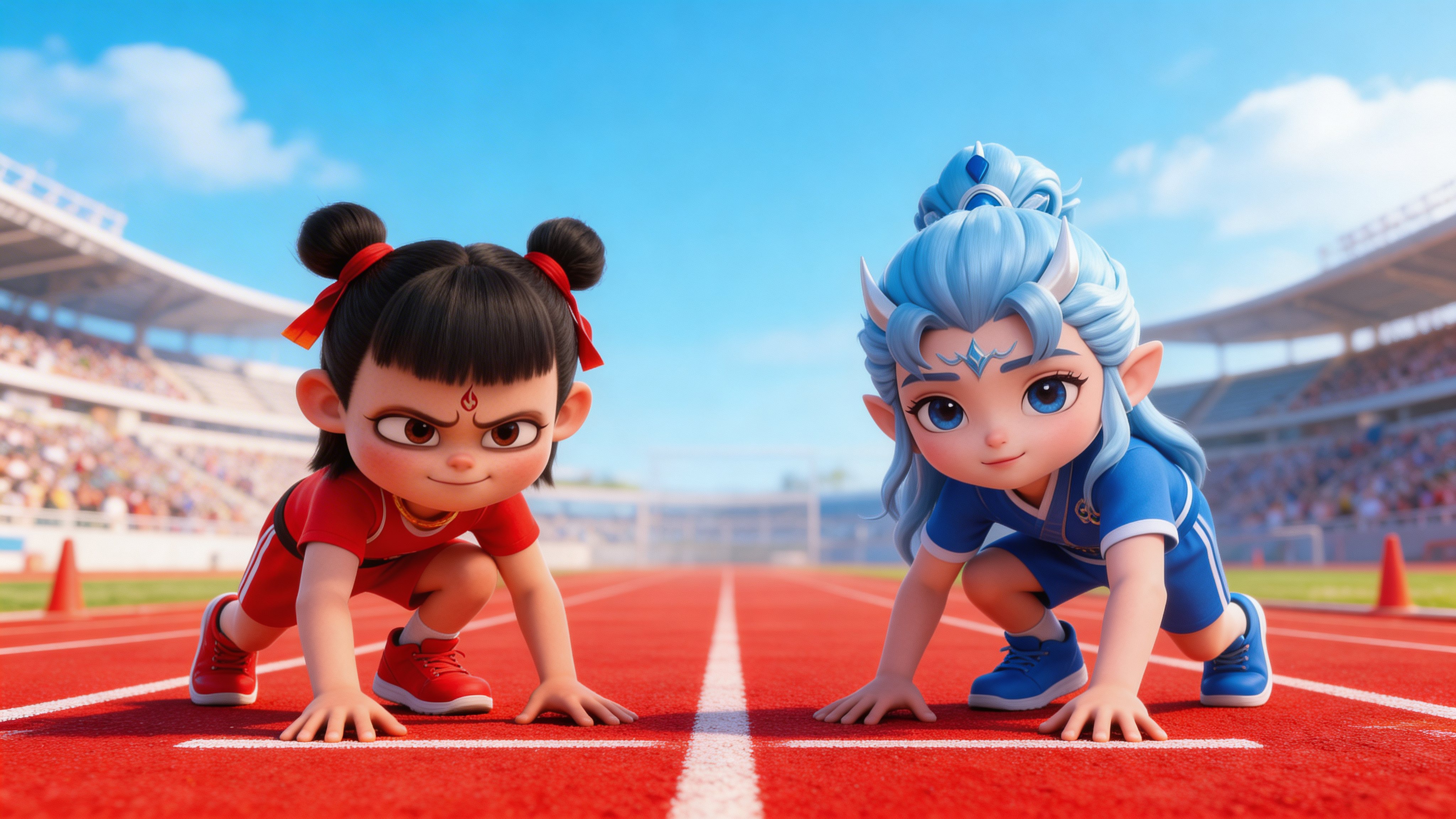
Start frame (example)
- Character read: red vs blue kits — instant identity.
- Action: credible crouch start.
- Setting: track + stands + sky reads as a real meet.
- Composition: 16:9 works well as a video master frame.
Finish frame — at the tape
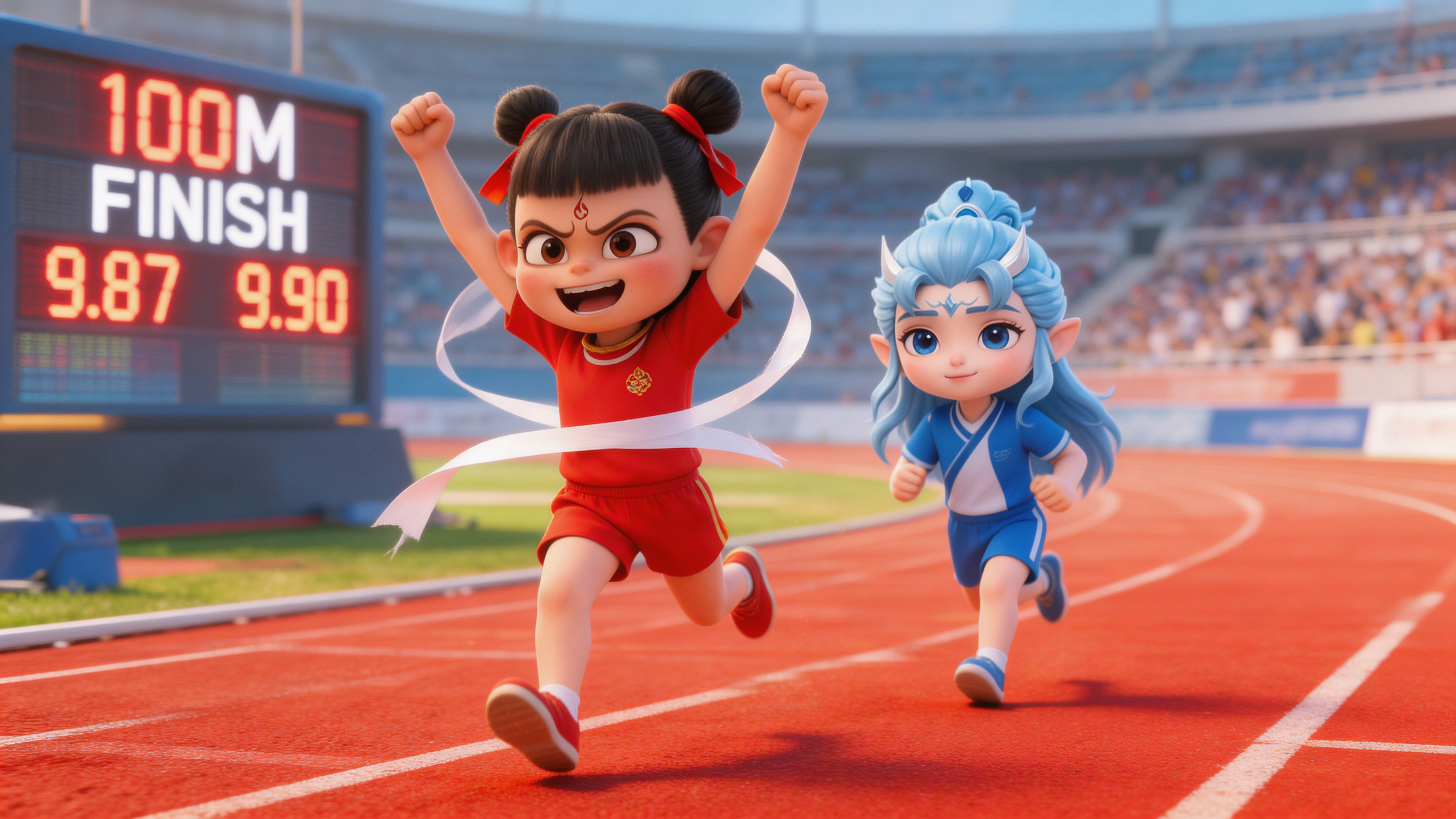
Finish frame (example)
- Continuity: poses logically follow a sprint arc.
- Emotion: winner energy + respectful rival smile.
- Details: tape, clock/board cues add story.
- Mood: peak excitement without clutter.
V. Keeping Start & Finish Frames Consistent
- Lock wardrobe colors — “Nezha red / Ao Bing blue” in both prompts.
- Same aspect ratio — both 16:9.
- Same quality tier — both
high. - Shared style tokens — repeat “photoreal sports photography, bright daylight, high resolution.”
- Optional: generate multiple pairs and pick the two with the closest lens height and skin/tone grading.
VI. Where to Use These Frames
- Image-to-video — feed both URLs into a model that accepts 1–2 reference images (e.g. Seedance).
- Animation pipelines — key poses for timing and blocking.
- Storyboards — panel A / panel B for pitch decks.
- Promos — hero still → motion bumper.
VIII. Summary
Strong first/last frames come from repeated character anchors and shared lighting and format. This Seedream pair is ready to drop into an image-to-video step so the model can focus on motion—not fixing mismatched costumes or sets. Swap names, colors, and actions to reuse the same recipe for your own characters.