
On vertical platforms like Instagram Stories, TikTok, and WeChat Moments, your background or cover image directly affects watch time and engagement. In this tutorial, we use Seedream 5 Lite Text to Image to generate a warm, realistic, story-driven vertical social visual, and show how to make your mobile-first content stand out.
I. Goal: Realism, Narrative, Vertical-First
We need a social-story-ready image that delivers:
- Realism: looks naturally shot, not overtly synthetic.
- Storytelling: conveys emotion and context at a glance.
- Vertical composition: 9:16 for full-screen mobile display.
- Human interaction: active subject engagement to increase immersion.
II. Core Parameter Setup (Copy and Paste)
{
  "prompt": "A vibrant and energetic scene of a young content creator filming a video in a cozy, aesthetically decorated room. She is holding a smartphone on a tripod, smiling naturally as she speaks to the camera. The room features warm fairy lights, a vision board with inspiration photos, a ring light casting a soft glow, and a stylish desk with a laptop and microphone. Plants and modern decor add personality. The lighting is warm and inviting, creating a relatable and aspirational atmosphere. 9:16 vertical composition optimized for Instagram Stories and TikTok. The background is slightly blurred to keep focus on the creator, but still detailed enough to show the creative workspace. Authentic, inspiring, and professional content creator aesthetic.",
  "aspect_ratio": "9:16",
  "quality": "high"
}
Parameter Breakdown
- aspect_ratio: "9:16" perfectly fits full-screen mobile stories.
- quality: "high" targets 3K-quality output for crisp details on phone screens.
- Prompt strength: combines subject behavior, room details, and light mood to create a clear narrative feel.
III. Generated Result and Analysis
Generated vertical story image:
Output Preview
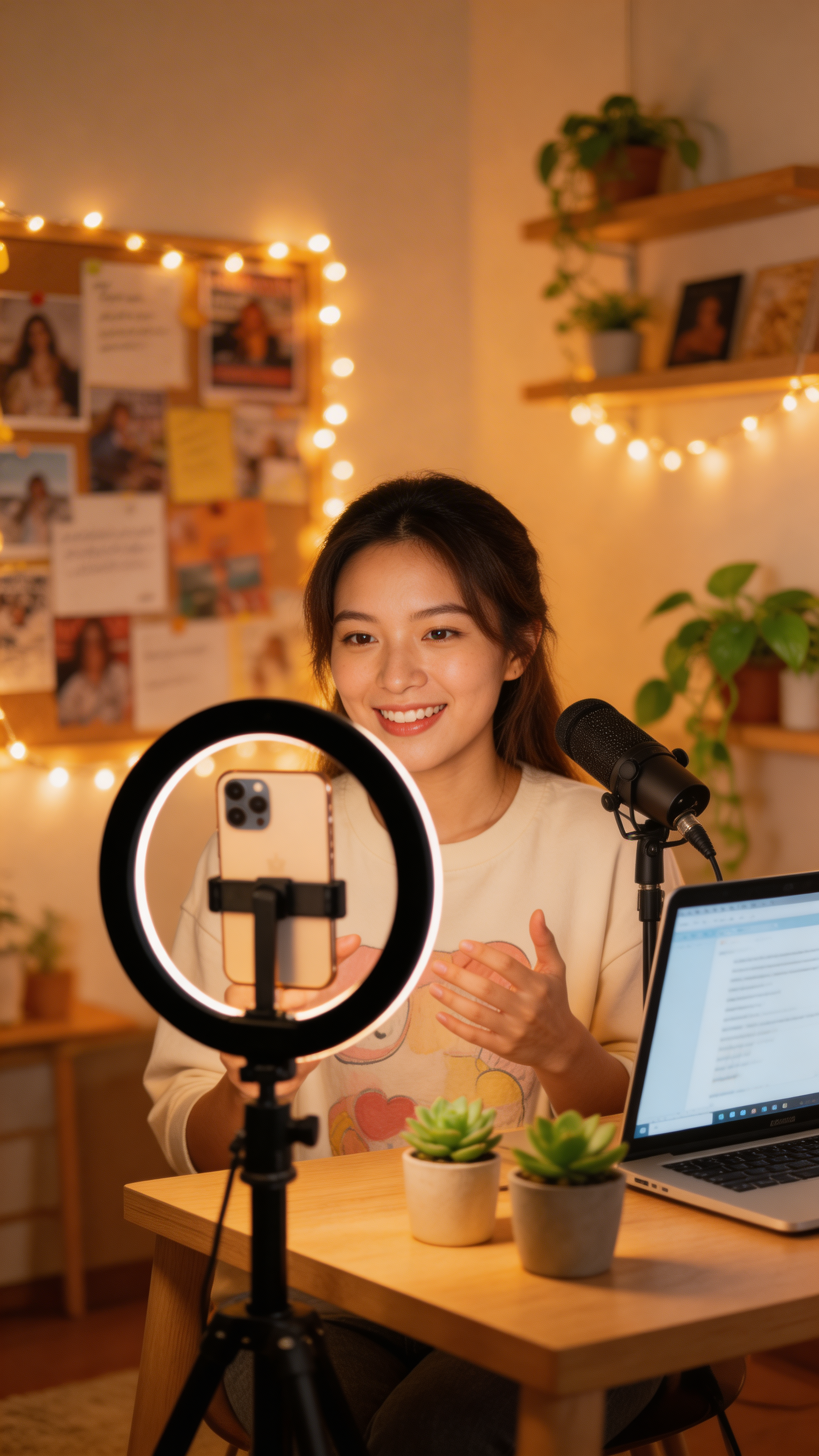
Mobile-first 9:16 creator-story visual with warm, authentic atmosphere
Quality Review
- Realism: natural expression and believable lighting feel close to real photography.
- Narrative clarity: viewers immediately understand the “creator filming content” scenario.
- Vertical fit: 9:16 fills mobile screens cleanly.
- Detail richness: fairy lights, vision board, mic setup add depth without visual clutter.
- Emotion: warm, approachable, and professional tone aligns with creator branding.
Best-fit Scenarios
- Instagram Stories backgrounds and covers
- TikTok video covers
- WeChat Moments / official account cover visuals
- Brand story short-video opening frames
IV. How to Customize Vertical Story Visuals for Your Content
Step 1 - Define the Emotional Direction
- Warm and comforting: warm light, soft tone, plants, cozy setting.
- Professional and educational: tidy desk, books, notebook, clean lighting.
- Creative inspiration: bright colors, inspiration board, artistic tools.
- Active and energetic: outdoor mood, natural light, motion cues.
Step 2 - Choose Subject and Scene Consistency
If your brand has a recurring persona (age, style, gender expression), keep those traits stable in prompts. Match scenes (studio, cafe, home, outdoor) to each content pillar.
Step 3 - Generate and Refine
- Generate 2-3 variants with the same core prompt and pick the most natural one.
- If adding text overlays, explicitly request negative space in composition.
V. Advanced Tips to Boost Visual Appeal
- Lighting drives quality: use terms like “warm light,” “soft light,” “natural light,” or specific sources such as “ring light” and “window light.”
- Details improve realism: add micro-expressions, hand movement, and subtle hair motion.
- Background blur strategy: “slightly blurred background” or “shallow depth of field” keeps focus on the subject.
- Vertical layout planning: include “leave bottom space for caption” or “text-safe left/right margin” in prompts.
- Series consistency: lock character traits and color palette across weekly content for stronger brand memory.
VI. Summary
In a mobile-first era, vertical content is the default format for social storytelling. With Seedream 5 Lite, you can produce high-quality 9:16 visuals quickly while controlling scene mood and narrative details. Use this parameter set as your reusable social-content template, then fine-tune prompts weekly for consistent, scalable visual output.
Try Seedream 5 Lite Text to Image on FuseAITools to build your next vertical story series.