
Fashion photography does not have to happen in a studio. A photo with genuine candid energy often feels more alive than a heavily staged shot: real, effortless, and story-driven. In this tutorial, we use GPT Image text-to-image on FuseAI Tools to generate a sunlit street-style portrait and show how to make AI output feel like it was captured by a professional photographer.
I. Goal: Natural Candid Mood, Effortless Elegance, Vertical-Ready
We want a street-style portrait for fashion brands or social media, with:
- Candid realism: no obvious posing, like a real street capture.
- Light quality: warm golden-hour tones and soft highlights.
- Motion cues: hair lifted by wind, moving pedestrians in soft blur.
- Authentic texture: visible skin and fabric details.
II. Core Parameters (Copy & Paste)
On GPT Image text-to-image, use:
{
  "prompt": "Create a candid street style photograph of a young woman walking through a sun-drenched city plaza. She wears a flowing beige trench coat, white sneakers, and carries a canvas tote bag. Her hair is gently blown by the wind. The background shows old European architecture and a few pedestrians in motion blur. The lighting is golden hour, warm and soft, creating long shadows and a slight backlight effect on her hair. Shot from a low angle, medium wide, like a 35mm film camera. The image should feel spontaneous, effortless, and elegant. No posing, no flash.",
  "aspect_ratio": "2:3",
  "quality": "medium"
}
Parameter Breakdown
- aspect_ratio: 2:3 - vertical framing, ideal for social feeds and magazine-style layouts.
- quality: medium - balanced speed and quality for fast iteration.
- Prompt highlights - candid + golden hour + motion blur + 35mm language for natural realism.
III. Result Preview and Performance Analysis
Generated example:
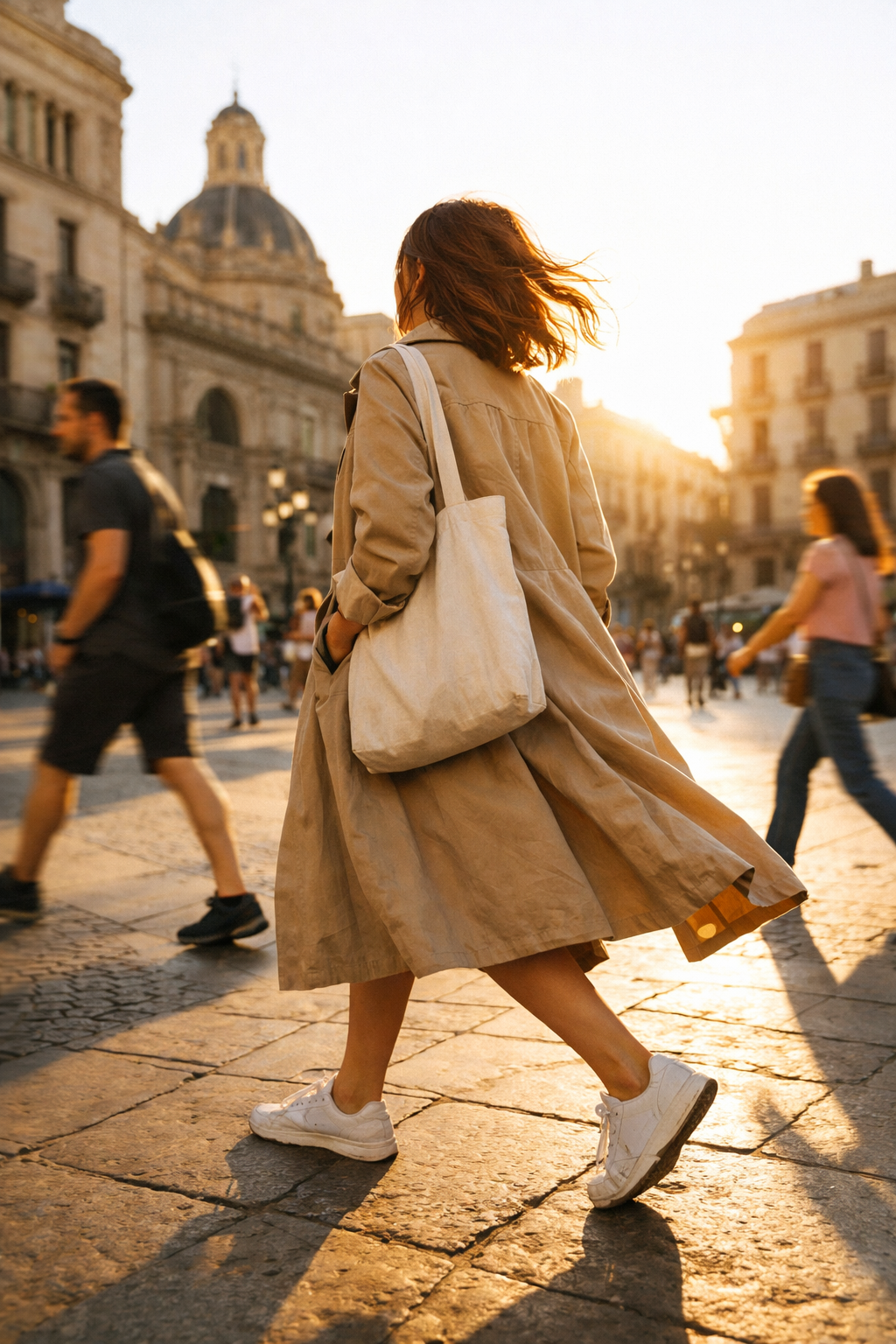
Natural candid street-style portrait (GPT-image-1.5 example)
Evaluation
| Dimension | Rating | Notes |
|---|---|---|
| Candid feel | ⭐⭐⭐⭐⭐ | Dynamic posture and wind-blown hair with no staged-pose traces. |
| Light quality | ⭐⭐⭐⭐⭐ | Warm golden-hour light with natural backlight behavior. |
| Composition | ⭐⭐⭐⭐⭐ | Low-angle, medium-wide framing creates strong fashion editorial impact. |
| Detail rendering | ⭐⭐⭐⭐ | Clear clothing texture and architectural detail. |
| Practical use | ⭐⭐⭐⭐⭐ | Fits fashion brands, social content, and magazine visuals. |
Best Use Cases
- Fashion brand social posts
- Outfit and style storytelling
- Magazine-style editorial inserts
- Brand image campaigns
IV. Customize for Your Brand
Step 1 - Define a Style Direction
| Style | Prompt Keywords |
|---|---|
| French relaxed | Paris street, trench coat, coffee, natural curls, soft morning light |
| New York sharp | Manhattan, tailored suit, brisk walking, skyscraper background, crisp contrast |
| Japanese fresh | Daikanyama Tokyo, canvas bag, film tone, gentle overexposure |
| Italian vibrant | Rome plaza, bright outfit, intense sunlight, dynamic laughter |
Step 2 - Control the Light Atmosphere
| Time Window | Prompt Phrase |
|---|---|
| Golden hour | "golden hour, warm and soft, long shadows" |
| Blue hour | "blue hour, cool tones, city lights" |
| Noon | "harsh sunlight, high contrast, strong shadows" |
| Overcast | "overcast, soft diffused light, even lighting" |
Step 3 - Pick the Right Aspect Ratio
- Social platforms (Instagram / Xiaohongshu): 2:3 or 1:1
- Magazine / lookbook: 3:2
- Vertical short-video cover: 2:3
V. Pro Tips to Increase Realism
- Avoid posed look: add words like
candid,unposed,spontaneous,as if caught by chance. - Add motion elements: use phrases like
hair blown by wind,walking motion,blurred background pedestrians. - Simulate film texture: include
35mm film,grain,vintage tone. - Use negative constraints:
No posing, no flash, no heavy retouching, no studio lighting. - Lock consistency with seed: if your workflow supports it, reuse a fixed seed for batch style coherence.
VI. Summary
The key to realistic AI street-style portraits with GPT-image-1.5 is prompt-driven candid storytelling: dynamic posture, natural light, and believable texture. Use this setup as a reusable fashion-street template, then adjust location, styling, and light direction to match your brand tone and quickly produce high-quality, natural-looking visuals.