
On social feeds, a warm, story-driven illustration often resonates more than a plain photo—it helps your post stand out and carries a distinct brand mood. In this walkthrough, we use Nano Banana on FuseAI Tools to produce a bright, cozy flat illustration suited to blogs and social cards. Below: full prompt, parameters, and how to adapt them for your brand.
I. Our Goal: Warm, Bright, Social-Ready
We want a horizontal illustration that works as a blog header or social graphic:
- Cozy mood: sunlight, desk, coffee, everyday work-from-home energy.
- Modern flat illustration: clean, minimal, easy on the eyes.
- Rich but readable detail: enough to reward a second look without visual noise.
- 16:9 landscape: ideal for blog heroes, Pinterest pins, and X/Twitter cards.
II. Core Parameter Setup (Copy & Paste Ready)
In Nano Banana (text-to-image), we used:
{
  "prompt": "A warm, bright flat illustration. A young woman sits at a desk by a window; sunlight streams in as she works on a laptop. On the desk: a steaming cup of coffee and a small stack of books. Outside the window: blue sky, soft clouds, and a distant city skyline. Soft warm color palette, modern flat illustration style, rich details, suitable as a blog header or social media graphic, 16:9 composition.",
  "output_format": "png",
  "image_size": "16:9"
}
Parameter Breakdown
- image_size: "16:9": wide format for blog covers and most social placements.
- output_format: "png": clean edges for overlays and branding (per tool availability).
- Prompt structure (7 layers): scene + subject + action + environment + light + style + intended use—helps the model stay on-brief.
III. Generated Result and Effect Analysis
Example output:
Generated Illustration
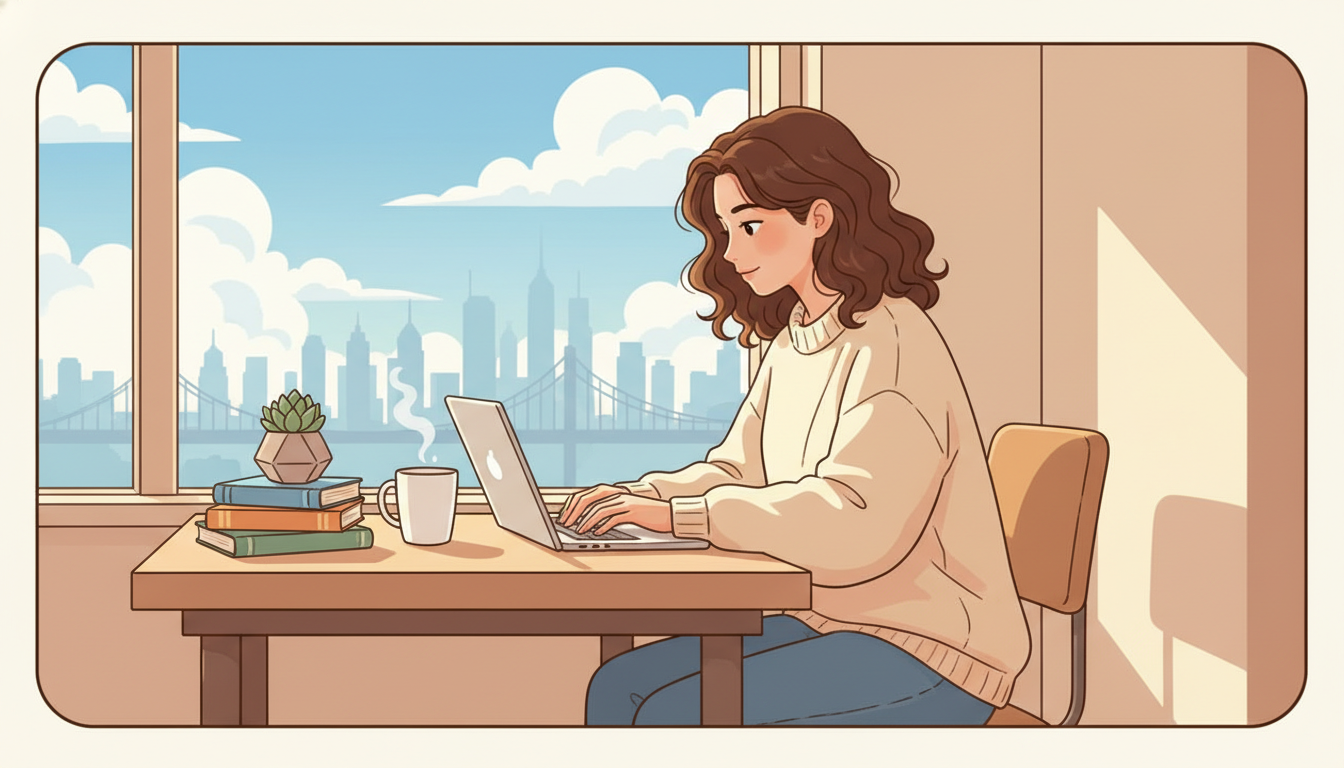
Cozy desk-by-window illustration (example)
Quick Evaluation
- Style consistency: flat illustration language holds across the frame.
- Color harmony: warm, soft tones—comfortable for long scrolling sessions.
- Detail: steam, window view, and props read clearly at typical card sizes.
- Negative space: left/right areas often work for headlines or logos.
- Emotion: calm focus and gentle productivity—“healing” without feeling generic.
Where to Use It
- Blog article heroes (productivity, habits, personal growth)
- Instagram, Xiaohongshu-style carousels, Pinterest pins
- E-book or lead-magnet covers
- Course or webinar promo graphics
IV. Customize Illustrations for Your Brand
Step 1 — Lock in brand color
Add palette cues to the prompt, e.g. “primary palette soft blue and cream,” “low-saturation colors,” or “Morandi-inspired tones.”
Step 2 — Pick one style keyword and repeat it
Examples: flat illustration, hand-drawn, watercolor, soft 3D, minimal line art. Consistency beats mixing three styles in one series.
Step 3 — Scene-match your content theme
- Productivity: “Freelancer in a bright café, laptop and americano, street view through glass, airy flat illustration.”
- Wellness: “Morning jog in a park, dappled sunlight through leaves, fresh greens, natural flat illustration.”
- Creative work: “Designer in front of a mood wall, warm studio lamps, artistic flat illustration.”
Step 4 — Keep characters consistent across a series
Reuse the same descriptors: e.g. “Asian woman with a ponytail,” “orange tabby cat with round glasses”—so batch outputs feel like one brand world.
V. Pro Tips: Graphics That Get Saved and Shared
- Brand props: name a colored object—“mint-green mug on the desk”—to sneak in palette.
- Micro-interaction: have the subject glance toward the viewer for a subtle “hello.”
- Seasonal cues: autumn leaves outside the window, holiday lights, summer haze—match your publishing calendar.
- Series thinking: same palette + same style words + varied scenes = stronger recognition.
VI. Summary
Illustration-style graphics add recognition and emotional warmth to your content. AI makes iteration fast while keeping style and detail under control. Treat this Nano Banana setup as a base template: swap the prompt layers for your theme, and you can build a coherent library of social and blog visuals in one sitting.